1. Open Photoshop. Open desired image. Image can be converted into two colors using Duotone.

2. Image >Mode > Gray Scale

3. Image > Mode > Duotone
4. You will get following box. Select "Duotone" from Type drop down menu. Select two inks. You need to name the first ink.
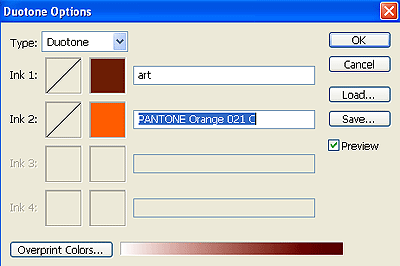
5. Following result is obtained after using above combination.