

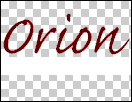
1. Open Photoshop and type the text with preferably script font for sign effect. Draw the curved line below the text which we will reveal with animation.

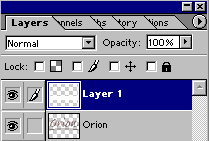
2. Create second layer. Hide the curved line with white patch.
3. You will get the following layer structure.
4. File > Jump To > Image Ready
5. Duplicate the frames and make copies.
6. In the animation palette select 2nd frame and keep the patch layer selected. Using Move Tool, move the patch little towards right.
7. Select the next frame and keep the patch moving towards right with constant distance.
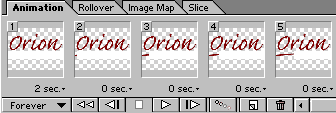
8. Set the timings for frames.
9. Set the no. of time you want to play the animation.
10. Check the performance in the browser
File > Preview In > Click the browser you want

11. Save the file with
File > Save Optimized or File > Save Optimized As
