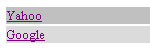
 This is simply going to teach you how to do your navigation like the one from our site.
Ok, first i will tell you what's going on, and why and where I'm adding stuff. Then, the final code will be displayed at the end. If we just start with a simple table... with 2 rows (tr)
|
<table> <tr> <td> </td> </tr> <tr> <td> </td> </tr> </table> |
Ok, Lets add out links and our widths to the tables
|
<table> <tr> <td width="250px"><a href="http://www.google.com" target="_blank">Yahoo</a> </td> </tr> <tr> <td width="250px"><a href="http://www.google.com" target="_blank">Google</a></td> </tr> </table> |
Now, for the next part... the onmouseover basically means what happens when you put your mouse over the TD.. and the onmouseout means what happens when you hover out of the TD. this.style.backgroundColor is just saying what colour to display, in this case... we have #BADAEA, #DBDBDB and #C0C0C0
The final script being...
|
<table> <tr> <td width="250px" onMouseOver="this.style.backgroundColor='#BADAEA';" onMouseOut="this. style.backgroundColor='';" bgcolor="#C0C0C0"><a href="http://www.google.com" target="_blank">Yahoo</a></td> </tr> <tr> <td width="250px" onMouseOver="this.style.backgroundColor='#BADAEA';" onMouseOut="this. style.backgroundColor='';" bgcolor="#DBDBDB"><a href="http://www.google.com" target="_blank">Google</a></td> </tr> </table> |
