


1. New document
Create new 18x18 transparent document.
2. Zoom in
Zoom in at 1600x (max).
3. Main head
Choose Ellipse Tool. From the top select "Fill pixels":
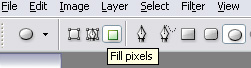
Now draw a circle:
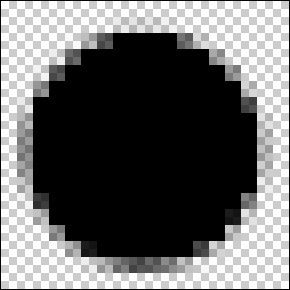
4. Blending options
Right-click on layer with black circle and open Blending Options. Switch to Gradient Overlay and set it to:
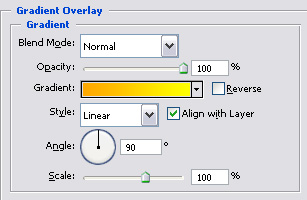
Dark color = #ffa800
Light color = #fff000
5. Now switch to Stroke and set it to:
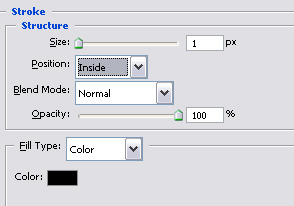
(down the opacity if you need)

6. Face
Now time to face :) Grab a Pencil tool, 1px & black. Create new layer (Ctrl+Shift+N) and draw a face:

7. Save
Now save it as .png (will have anti-alias) or .gif. Emotion is finished:

Some of my emotions:


