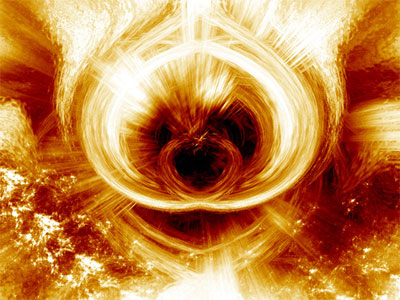
In this tutorial, I will show users how to create what i would like to call - True Flames.
1. Start off by pressing D
2. Go to: filter > render > clouds
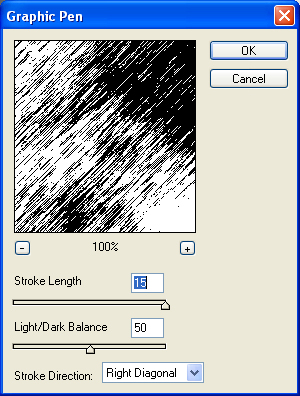
3. Filter > sketch >graphic pen and use these settings:
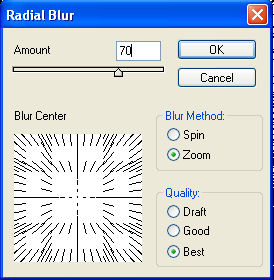
4. Filter > blur > radial blur and then use these settings:
5. Filter: distort : ocean ripple
6. Filter> distort > twirl
angle: 397
7. Set mode to lighten, duplicate this layer
8. Now go to edit: transform: flip horizontal
9. Go to the fill layer fill or adjustments icon:
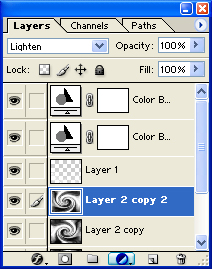
and select color balance and use these settings:
Midtones:+100, 0, -100
10. Duplicate this layer and set the blending mode to linear burn
Add some brushing and this is the final effect you will have: