

Start a new document, whatever size you want, this effect has no purpose other than a nice background for your wallpaper or something... so lets make it BIG!. I'm making mine : 1024x768
Now, lets fill this with one of photoshop's integrated patterns. Go to Edit->Fill, and for Contents: Use: select Pattern. And then choose this pattern from your list:

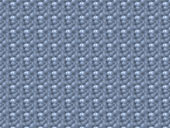
Now go to: Filter->Distort->Polar Coordinates:
Options: Rectangular to Polar.

Go to: Filter->Blur->Radial Blur.
Set:
Amount: 100
Blur Method: Zoom
Quality: Good
Press CTRL+F a few times (say 4? ) to reapply the filter.

Go to: Filter->Artistic->Plastic Wrap
Set:
Highlight Strength: 20
Detail: 15
Smoothness: 15 (you may need to set yours smaller if your image is smaller.)
CTRL+F to reapply the filter:
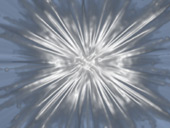
Now go to: Filter->Sharpen->Unsharp Mask
Set:
Amount: 500%
Radius: 250
Threshold Levels: 180
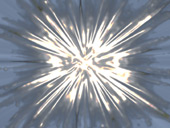
Now go to: Filter->Distort->Polar Coordinates
Options: Polar to Rectangular
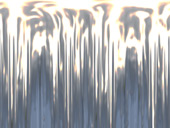
Go to: Image->Rotate Canvas->90CW
Then: Filter->Stylize->Wind.
Method: Wind
Direction: From the right
Press CTRL+F to reapply the filter.
Then Image->Rotate Canvas->90CCW
Now go to: Filter->Distort->Polar Coordinates
Options:Rectangular to Polar
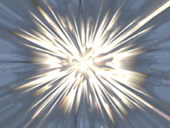
Now go to: Filter->Blur->Radial Blur
Amount: 50
Blur Method: Zoom
Quality: Good
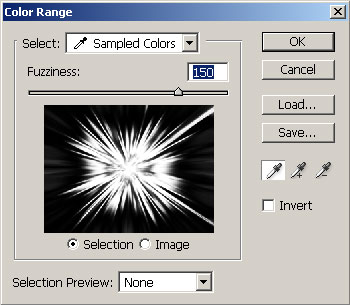
Now go to Select->Color Range
Move your cursor over to the image (cursor will turn to a color picker) and click on the WHITE at the center of the image, this will select all the white in the image.
In the Color range window, set the Fuzziness to 150.
Then Click OK.
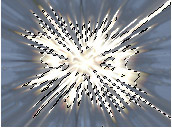
Now to to SELECT->Feather, and enter 10px for Radius.
Then go to: Filter->Distort->Ocean Ripple:
Set
Ripple Size:10
Ripple Magnitude: 7

Now, inverse the selection: Select->Inverse.
Then: Filter->Distort->Pinch: Amount: -70%
Now press CTRL+D to deselect.

Now, just play around with your color balance, or hue/saturation to change the color.


Click here to download the .psd file
