This technique I used for the logo of my school project Malavita
Step 1 Open up a new document and add your desired text in white;

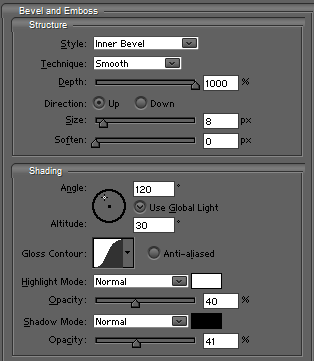
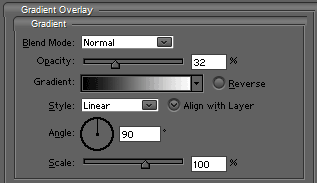
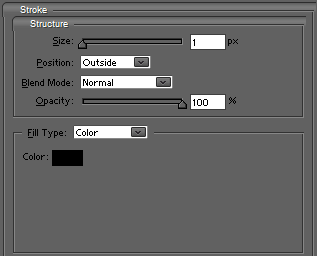
Step 2 Add these blending-options to the text;
Step 5 It will look like this;

Step 6 Then grab some decent blood-brushes. I used mine from the amazingly bizar site Angryblue

Step 7 Change the blending-mode to overlay;

Step 8 And press CTRL+G to group the layer with the text;

Step 9 And then you are done. Feel free to add a shadow, a reflection or more blood...