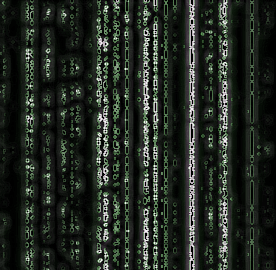
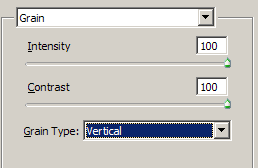
1. Open up a new photoshop document don't worry about the size just make sure you use a white background. Now goto - Filter - Texture - Grain and put both bars on 100% and choose vertical from the menu box.
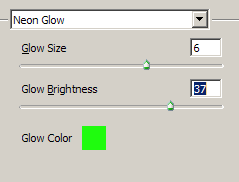
2. Now goto Filter - Artistic - Neon Glow / and you need to choose 6 and a green colour this is to make it look realistic
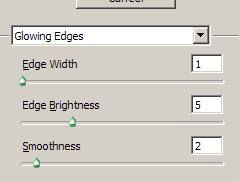
3. Now go to Filter - Stylize - Glowing Edges and choose 1,5,2
4. Duplicate the layer and then set Filter - Blur - Motion Blur to -92 100 and change the blending mode to lighter and your done.