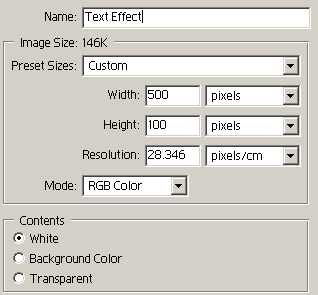
1. Make a new document ( 100 high and 500 pixels wide) Now select the text tool and write some text i wrote ( Tuts4you.net)

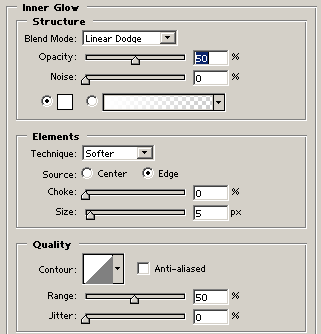
2. No go into the Layer - Layer style - and click on Inner Glow and use the following setting that are shown below :
3. Now your text effect should look something like mine below.

4. Write we are now going to add a gradient overlay the settings are shown below.
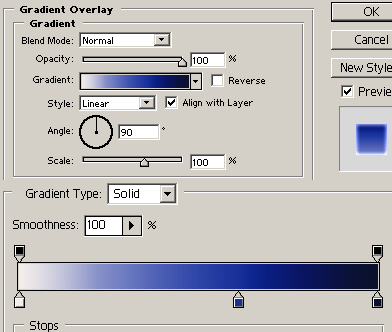
This will make it look like this below.

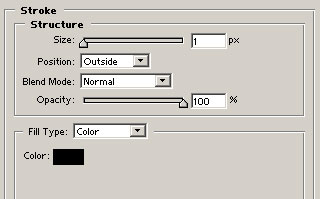
5. Now you can add stokes to this font effect to make it more effective. as shown below.
6. Now your done :)