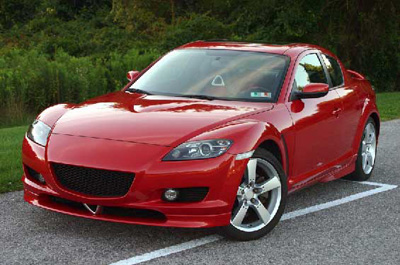
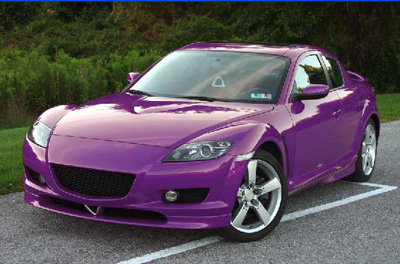
In this tutorial I will show you how to change the color of a sports car in a very limited amount of steps. I have seen many lengthy tutorials on how to do this; this is a much simpler way. Let's get started...
First, we need to get the image, in this case I chose a car. My image was purchased from istockphoto.com, but there are many free stock photo websites you can find great photos at, as well. For instance: www.sxc.hu or www.morguefile.com.
Once you have a found a suitable image, open it up on Photoshop. Then proceed to the menu Image>Adjustments>Replace color. If you do not know where that is, check out this image:
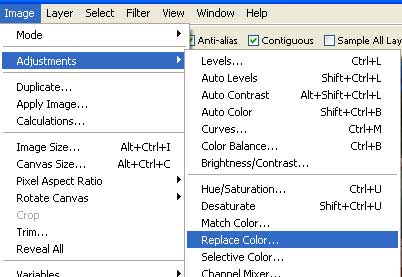
Now we are in the replace color adjustment this is where all the magic happens.
Move your cursor out side to the car that you are using and find the most dominant color of the car that you find. I have highlighted areas that usually have the most dominant color in the image. See the off colour splotches on the car?
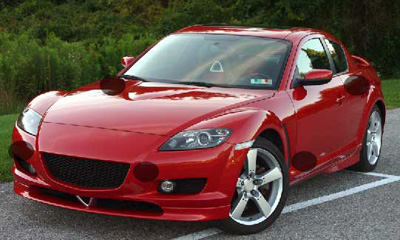
Next when you have selected the most dominant color move the fuzziness slider all the way to the end. This makes sure that the whole color or near colors will be selected.
This is what you should have:
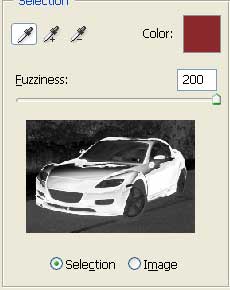
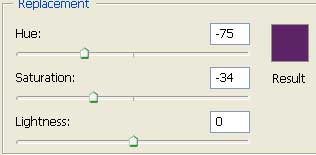
The next step is to decide the color you want to replace the old color with. To do this move the hue slider to the right or left, until you have found the color that you want (image below this paragraph). Play around with the saturation as well, it controls the intensity of the colour you have chosen with the hue. You probably don't want too much saturation, otherwise it will not look like a natural color. If you want, you can change the lightness of the color here as well... but I tend not to, as "levels" are much much more suited tool for this purpose.
These are my settings for the hue & saturation:
Tada! That's it, we're done. Here are my before and after images: