

1. Make a new Flash document, and set its size to 300×300.
2. Make four layers, then name them so that you get something like this:
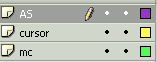
3. Go to: Insert->New Symbol->Movie Clip, and name it crosshair, simply draw a cross that looks like this (this will be your cursor):

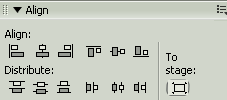
Make sure the cross is centered with the align tools (go to Window -> Design Panels -> Align):
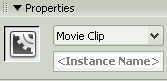
4. Drag&drop the crosshair movie clip from the Library (Window -> Library) into the layer: cursor, then give the movie clip an instance name: mc1
5. Go to Insert -> New Symbol -> Movie Clip, and name it mc2
This is the movie clip that will contain the 'room'. So, drop the 'room' picture in the movie clip mc2. Don't forget to center the 'room' picture with the align tools. Drag&drop it into the layer named mc. Give the movie clip the instance name mc2.
6. And finally, paste this code in the 1st frame of the layer AS:
| speed = .9;
moview = 300; //set this to the Flash movie's width movieh = 300; //set this to the Flash movie's height. Mouse.hide(); setInterval(CursorMovement, 40); function CursorMovement() { mc1._x = speed*(mc1._x-_xmouse)+_xmouse; mc1._y = speed*(mc1._y-_ymouse)+_ymouse; mc2._x = (1-mc2._width/moview)*mc1._x+mc2._width/2; mc2._y = (1-mc2._height/movieh)*mc1._y+mc2._height/2; } |
