


1. Get a picture with angels or any other picture you like. I've choose this one. I like angels and this one with a little work in Photoshop will look great.

2. Now you go to Edit- Transform -Warp. Here you take the second point from left and raise it until the second one in the upper part. The one above it.
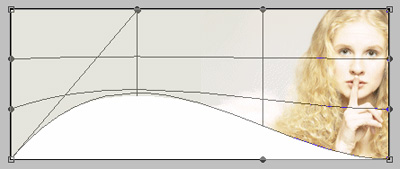
After you do this select the Move Tool and click Apply.
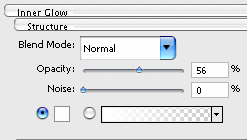
3. Now go to Layer-Layer Style and choose Inner Glow and set everything like me.
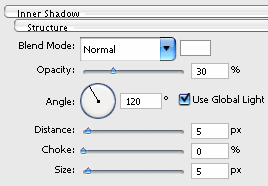
4. Now is time for the Inner Shadow.
5. We are all done, just add some text.

I use Photoshop Cs 2 and you should get it too cause it has some new great stuff, very helpfully.

