Step 1
First if your looking for a good pixel font then download this one: pixelfont. This font works best at size 6 and capslock ON. Sample of the font to the right.

Step 2
Open up the image you want to use and then take the text tool

Name: pixelfont
Size: 6
Create As: Floating
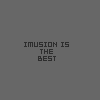
and type text with capslock ON. I'm typing "Imusion is the Best" with the fill color being "#2E2E2E" and no stroke color.
Step 3
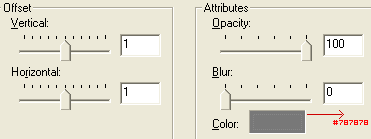
With the selection of the text still active (the little "ants" should be moving around the text) now go to Effects--> 3D Effects--> Drop Shadow. Use these options below and you can change the Color to your preference. It is best to use a dark color if you used light colored text and vice versa.
Final Product
Voila your done! Well thats it hope you found this effect useful! Below is an example of the finished product.