


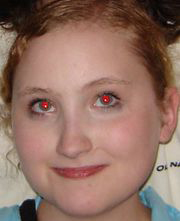
Original:
Result:
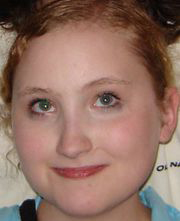
In this Adobe Photoshop tutorial we'll learn how to make a red eye reduction. We gonna use the fastest and easiest way to do that using Red Eye tool. You can find this tool only in the latest version of Adobe Photoshop- CS2. So, open your picture:
Choose Red Eye tool.

This tool has only two settings: Pupil Size and Darken Amount.

Zoom in your picture and simply click on the red eye. If you are not satisfied with the result, press Ctrl+Alt+Z on your keyboard to step backward and try different settings . Those settings are different for every picture.
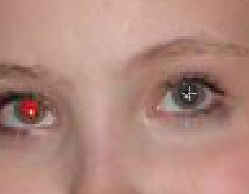
Do the same thing with the other eye:
Have a good day!
