Step One
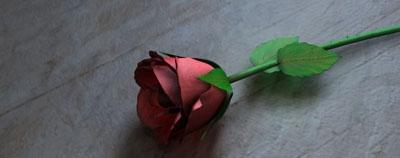
Open up an image. In this case I will use a rose.
Step Two
Choose the Type Tool and type something up

Step Three
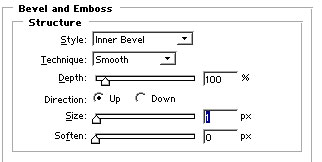
Go to Layer>Layer Style>Bevel and Emboss and use the setting below.
Step Four
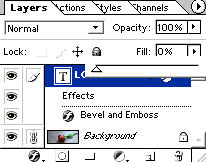
Select the text layer and change the Fill from 100% to 0%
Step Five
Here's what I came up with after a little touch up,