In this tutorial you will learn how to make this kind of text:

After this tutorial you will be able to make this yourself, so you can use it to add nice text to your signatures
Start of with a blank document, or open a signature you want to use the graffiti on, I used a 200*150 size doc.
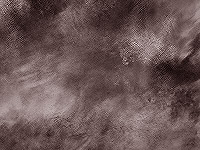
Take out some grunge brushes and brush a bit on the background, so it gets the look of a wall. This is the background I'm going to use: (if you don't want to make your own just save my background to your computer and open it with photoshop)
Now on a new layer type some text, I used the font "ravie"(sorry I cant put this font up for download because its worth $40), but it doesn't really matter what font you use. Just make sure you make the text big enough so its easy to read.

With your text layer selected, go to blending options:
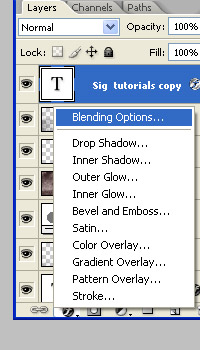
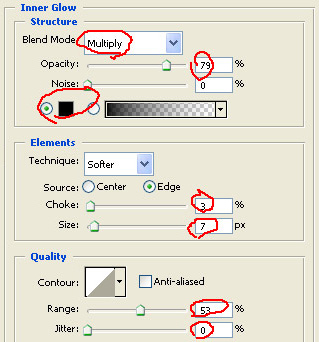
Now use the following settings:(you can change these to make your text darker/lighter, just play a bit around to see what each setting does)
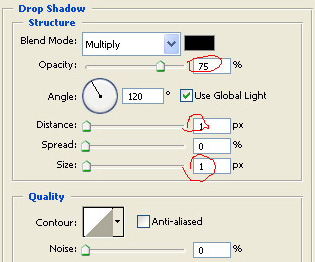
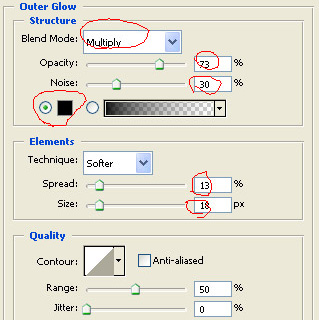
If you did everything correct, your text will now look like this:

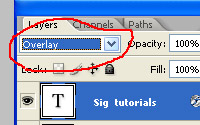
Now set your layer mode to overlay like I did here. This way the background will show through the text, giving it a nice grunge look. Now you have finished your graffiti text
My final result:
