How to create an amazing chrome text effect.
Open a new 450px x 100px document and fill the background layer with white.
Now with the text tool, type in your text using a "strong font" (I used "Babylon5"), and a white color (can't see your text? No matter, carry on...)
Right click on the text layer and select "Blending Options".
Use this setting:
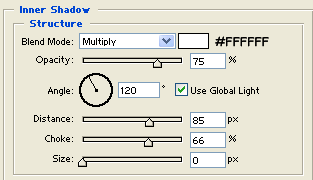
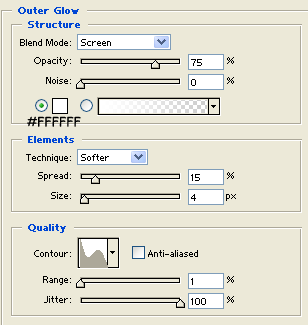
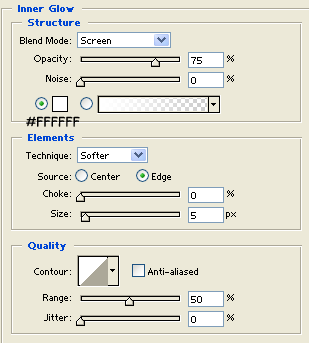
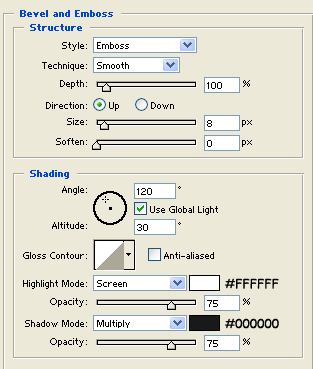
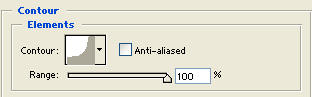
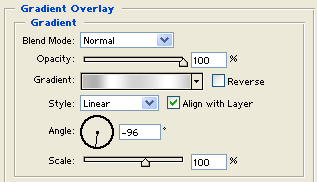
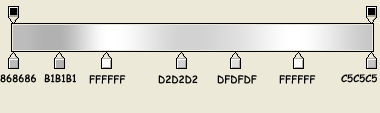
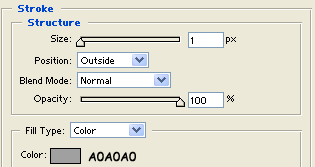
And here is my final result with some particular: