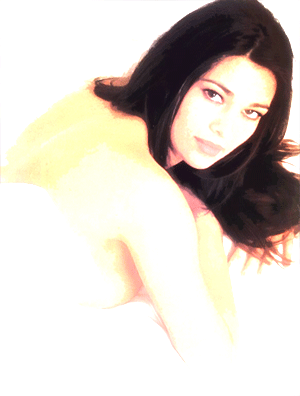
Maybe this is the fastest tutorial you've ever seen, but the result it's really amazing.
I'll teach you on how to realize a coloured pencil portrait from your photos in 2 easy steps.
Step 1
Open your photo (if the photo is too dark add some brightness), duplicate the layer and go to:
Filter >> Artistic >> Cutout and use this settings:
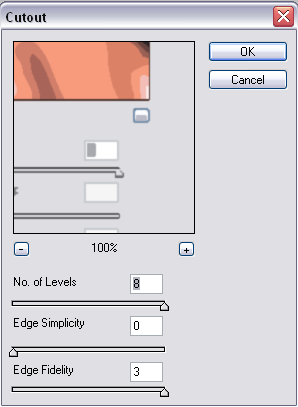
Then change the layer mode to: Linear Dodge.
Step 2
Duplicate again the first layer, and go to: Filter >> Blur >> Gaussian Blur and use this settings:
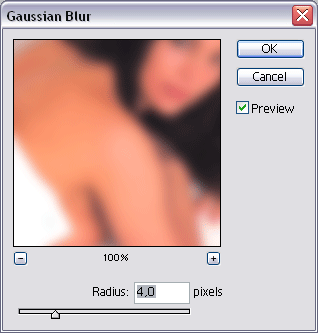
Change the layer mode to Soft Light and... you're done!