


1. Make new file with #DBEEFA background (or whatever), then select your Polygonal Lasso tool
 then create like picture. then fill the selection with #25A7F9 color.
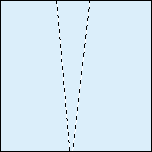
2. Dont deselect!. now go to Select > Modify > Contract . Contract By 8 Pixels. again dont deselect!
3. Make new layer, then fill the selection with #94D4FD color. You can deselect now :P Press Ctrl + D
4. Now select your layer that filled at no.3 then go to Filter > Blur > Gaussian Blur. Enter Radius 7 pixels.
5. We're almost done :)
6. Push ctrl + e or Layer > Merge Down.
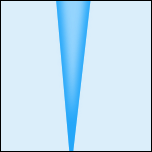
7. Now your should merged together. like picture above
8. This it where the magic came from, go to Filter > Distort > Shear
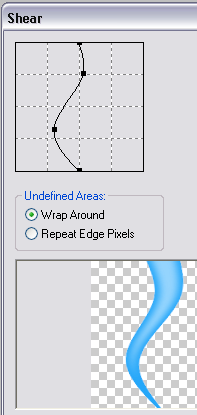
9. Select Wrap Around and point it as you like. Viola! now you have a great tenctacle!

10. Now you can put it transform them into anything you like or change the color with Image > Adjustments > Hue/Saturation>
Thats all :)
Hope this is usefull and show me your work with this tutorial.
