Step:1
Create a new image, File > New set the Width to 800 and the Height to 600. Set the background color to white #FFFFFF
Step: 2
Click on the Elliptical Marquee Tool
 , and add the setting below.

Create a circle on your work area and fill
 it with this color #aa3030. Now right click on the layer with the circle and click Blending Options and add the setting below.
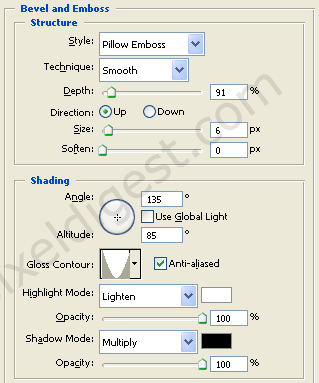
If you did everything right you should have something like I have below.

Step 3:
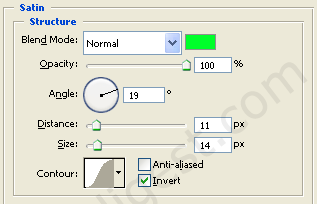
To change the color of your LED right click on your layer and click Blending Options add the setting below.
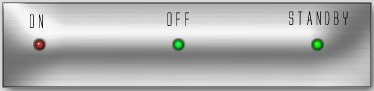
That's it. Here is my finish example.