Learn to make 3D Boxes..
Step 1
Start of by making a new document with a white background, it can be any size you like ( i used 200x200 pixels )

Step 2
Then go to Filter > Render > 3D Transform, and look for the square shaped tool and start to draw loads of cubes
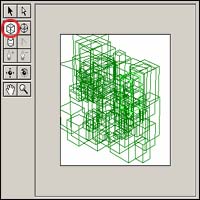
Step 3
Now click on the trackball tool ( the tool highlighted on the image below ), and rotate the image till it looks as good as you want it to be, you can see how ive done mine below. When youve got it how you like it press ok.
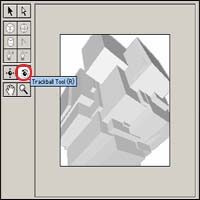
Final Image
Now finally to add some colour go to Image > Adjustments > Hue/Saturation ( Ctrl + U ), and you should have something like my final image. As you can see i have added some bits myself.