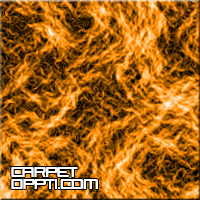
In this tutorial you will learn an effect that looks like carpet though a microscope
1. Open a new document in adobe, with a white background
2. Size it about 300x300
3. Press x then d to set the colours as default
4. Go Filter --- Render --- Clouds
5. Then Filter --- Stylize --- Find edges
6. Image --- Ajustments --- Invert
7. Then Image --- Adjustments --- Levels and change the settings
8. To change the colour press ctrl & u (hue/saturation)
9. Your finished!
Final image