Lets make some metal text!
1. Make a new document to fit your text.
2. Choose your font. I am using a Army stencil font, which works well for this effect.
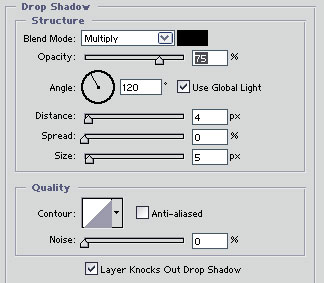
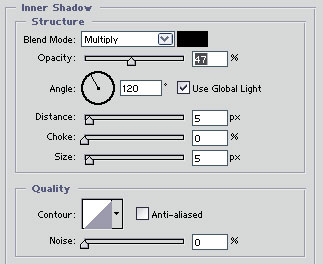
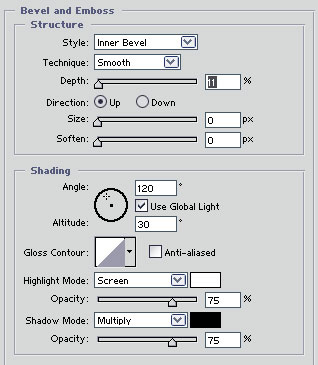
3. Now right click on your text layer and select Blending options and add these settings:
Drop Shadow
Inner Shadow
Bevel and Emboss
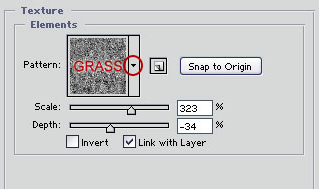
Now add the texture. To select the grass texture click on the arrow and then the blue arrow and then click on nature patterns. Then look for the pattern named grass.
Gradiant Overlay
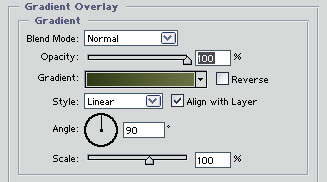
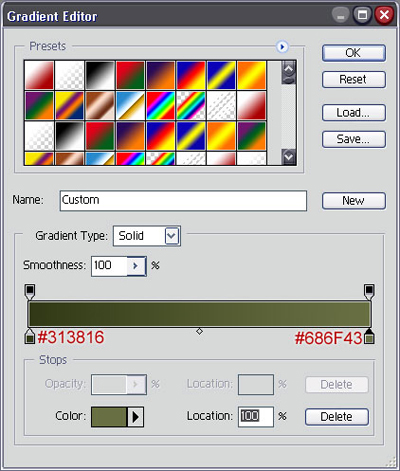
Now click on the gradiant and use these settings:
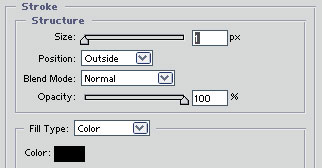
Stroke
Okay thats it! Heres what I came up with!

