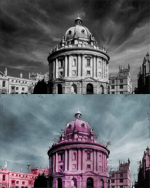
Open the grayscale picture in photoshop and go to Image -> Mode -> RGB Color to set it to RBG

Divide the picture in different parts and do this for each one:

Duplicate the picture layer and use the extract tool (Filters -> Extract) to extract the part. You need to trace the edge with the green brush and then fill it with the blue ink.
Then press Ctrl+U and change the color to whatever you want for that part

Done! Here's my result