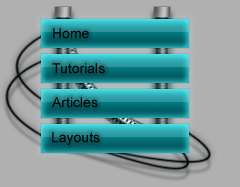
In this Adobe photoshop tutorial, I'm going to teach some tips and tricks so you can make a high tech navigation like I did!
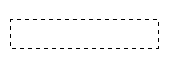
Ok, start Adobe Photoshop and make a new document, doesn't really matter which size. Fill the background with the color you like! Create a new layer and make a rectangular selection, like below:
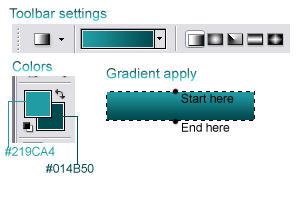
Grab your gradient tool and fill it with a gradient:
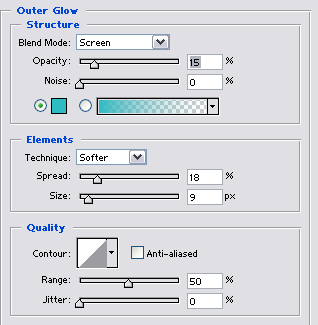
Now, deselect (by pressing "Ctrl + D"). Apply these blending options:
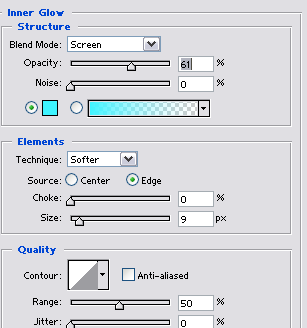
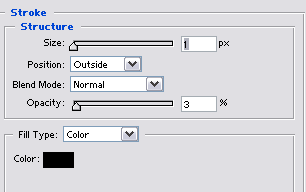
You should now have this:

Create a new layer and with this layer active Ctrl+click the button layer to load it's selection. Now delete half of the selection, you can do this by holding down "ALT" while dragging a new selection over the formal one!
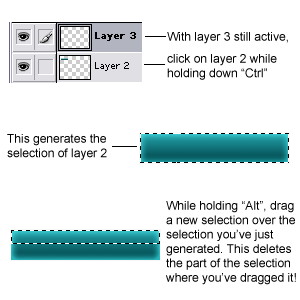
Now fill this selection with white, deselect (by pressing "Ctrl + D") and lower the opacity to 27%. You should now have this:

Now just make some more, add some text. I added some wires as well: