


Step 1
Create a new file in Photoshop by clicking on File>Open. Click on

Set Foreground Color. Choose brown color or a shade of brick color. Click on OK. Select the
 Paint Bucket Tool. Click on your canvas. It will fill the background with brown color.
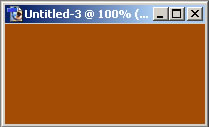
Your canvas will look like this.
Step 2
Go to Filter>Texture>Texturizer>Brick.
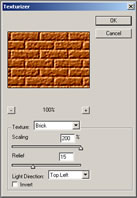
A screen named texturizer will appear. Select texture as Brick. Select scaling as 200%. Select relief as 15. Select light direction as top left. Click on Ok.
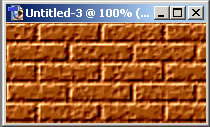
Your canvas looks like this now.
