Learn to draw nice looking plastic web buttons with this tutorial. Final output of the tutorial can be seen below :

Start by creating this shape with rounded rectangle tool setting the radius to 8 pixel.

Apply these layer styles in it:
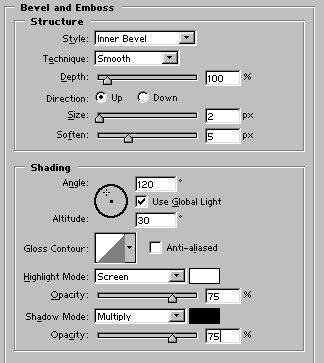
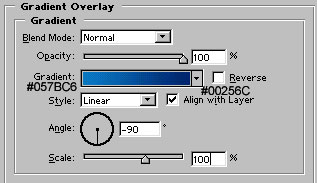

Draw another shape with rounded rectangle tool :

Apply these layer styles in it:
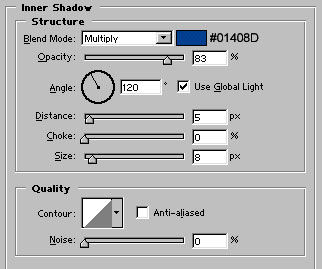
Gradient overlay colors are similar as in the previous shape. The difference is the Angle which is +90 degree here :)
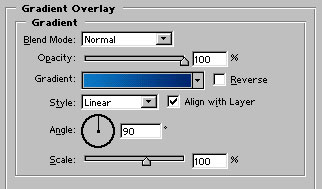

Rasterize the layer. Go to Filter>Blur>Gaussian Blur and set the amount to 2.5 pixels. Our plastic button is ready :)

This is after adding text in the buttons :)
