


Create a new file of 78 x 28 pixel for the button. Create a new layer and fill the background with #0F479F.

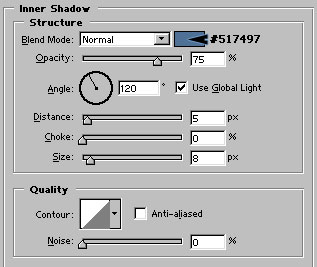
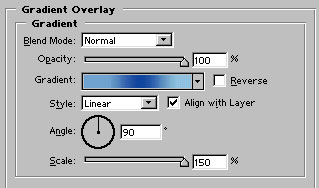
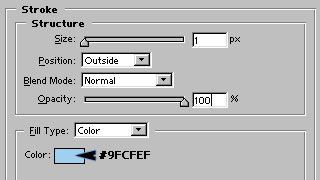
Apply these layer styles in it :
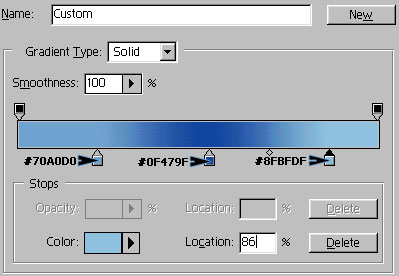
Create a custom gradient as shown :

Duplicate the button layer in separate file and arrange them as shown :

Finally, add link text. I have used Tahoma font selecting white color for the text and added little drop shadow in it.

