We'll begin this tutorial, by creating a new canvas at a size of 583 x 160 with 19344e as the canvas color. Then select the "Rounded Rectangle Tool". Draw a rectangle as illustrated below with a radius of 10 pixels with ebe8e8 as the color. Name this layer "Menu Frame" in the Layers Palette.
Now right click on the "Menu Frame" layer and select, "Blending Options...". Now click on "Outer Glow".
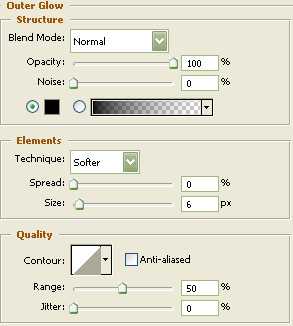
Do not click "OK" yet. Still more to do.
Now click on "Inner Glow".
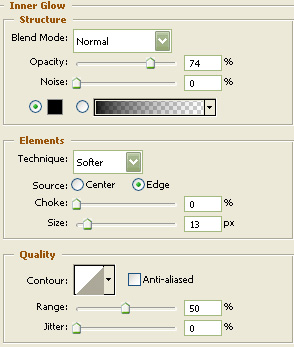
Do not click OK yet... still more to do.
Now click on "Color Overlay".
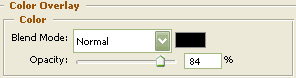
Do not click OK yet... still more to do.
Next, draw a rectangle as illustrated below with a radius of 10 pixels with Black as the color, again using the "Rounded Rectangle Tool". Name this layer "Menu Window" in the Layers Palette.
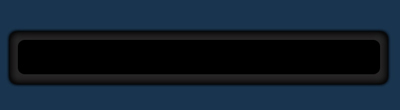
Use the same settings as was used in steps 2 through 4 to get the following effect.
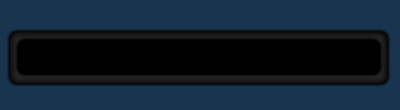
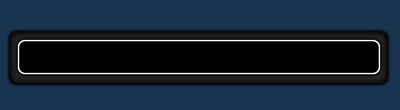
Next, "Ctrl" click the "Menu Window" in the Layers Palette to create a selection around it. Then create a new layer and name this layer "Window Frame". Then go to the main menu and choose "Edit" then "Stroke". Using White as the color at 2 pixels on the inside for the location. Click OK and deselect ("Ctrl" + "D").
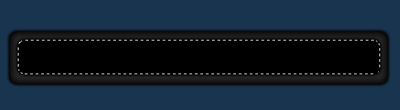
You should then have the following. Then turn the Fill down to 8%.
Then select the "Rounded Rectangle Tool" once again. Draw a rectangle as illustrated below with a radius of 10 pixels with ebe8e8 as the color. Name this layer "Button" in the Layers Palette.
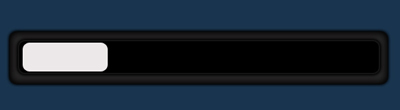
Use the same settings as was used in steps 2 through 4 as well as the below step to get the following effect.
Now click on "Stroke".
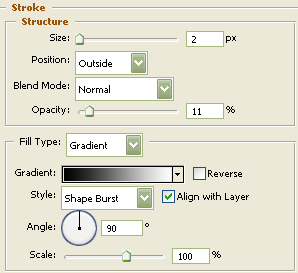
You may click OK after steps 2 through 4 have also been implemented.
Next, using the "Text Tool" type your wanted text. I choose "HOME" in all caps with Verdana as the typeface and 918f8f as the color at 11 pixels.
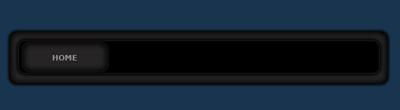
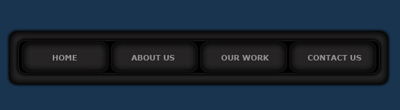
The Results!!!
I then put the button layers into their own group and duplicated to complete the menu. I hope you found this tutorial to be useful.