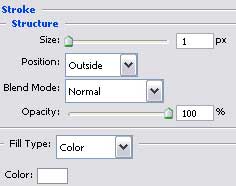
Create a new file with 1600x1200 px and 72 dpi. Using the next tool
 , create the first background's layer for the picture to be next.

Fill 0% on the layers.
Blending Options-Gradient Overlay
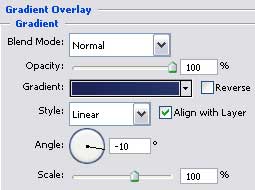
Gradient's parameters:
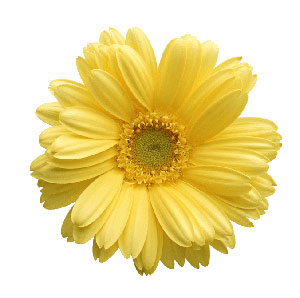
Select the next tool
 and represent the next layer of the background.
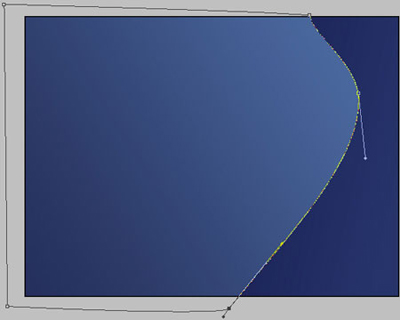
Fill 0% on the layers.

Blending Options-Gradient Overlay
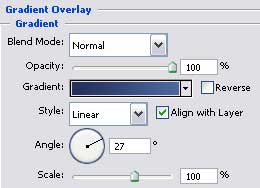
Gradient's parameters:
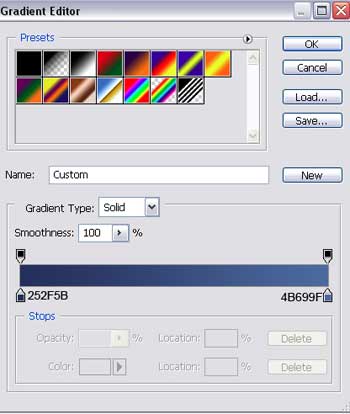
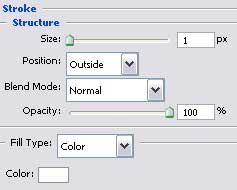
Blending Options-Stroke
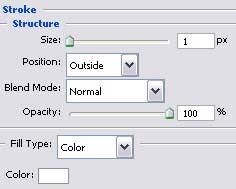
Selecting the same instrument, used before, create one more background's layer.
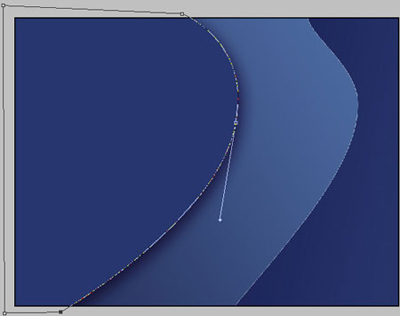
Fill 0% on the layers.

Blending Options-Drop Shadow
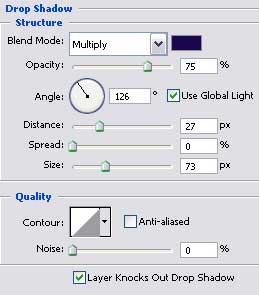
Blending Options-Gradient Overlay
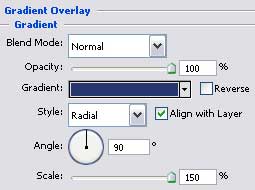
Gradient's parameters:
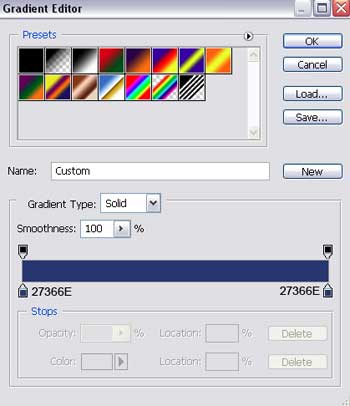
Blending Options-Stroke
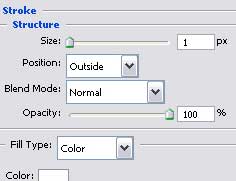
Take the same instrument
and represent another layer of the background.
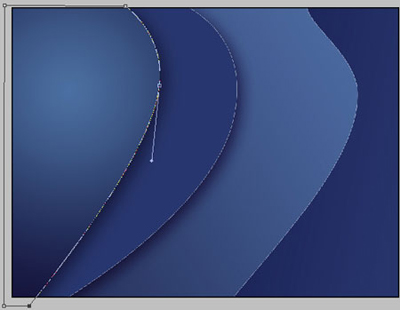
Fill 0% on the layers.

Blending Options-Drop Shadow
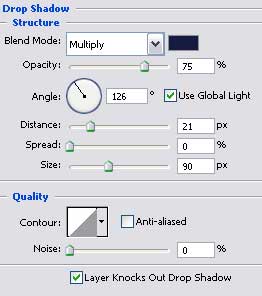
Blending Options-Gradient Overlay
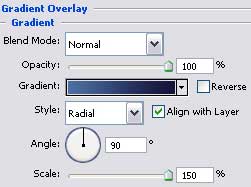
Gradient's parameters:
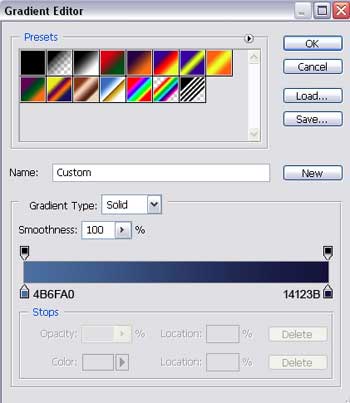
Blending Options-Stroke
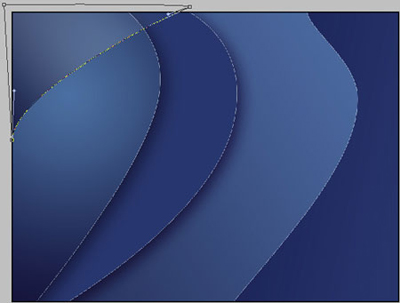
Using the applied instrument before, try to represent the next background's layer, that will be situated this time on the upper part of the picture.
Fill 0% on the layers.

Blending Options-Gradient Overlay
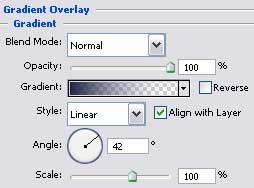
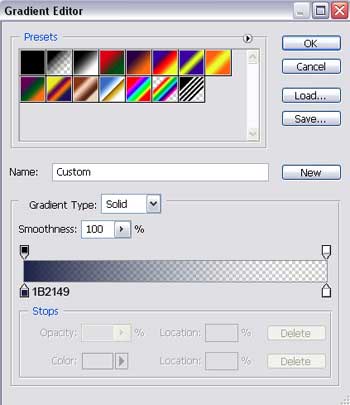
Gradient's parameters:
Blending Options-Stroke