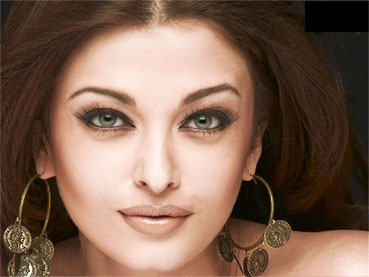
Open your image :
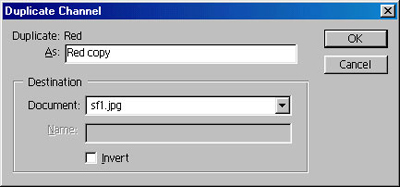
Click on the channel palate. Right click on Red Channel and select Duplicate channel :
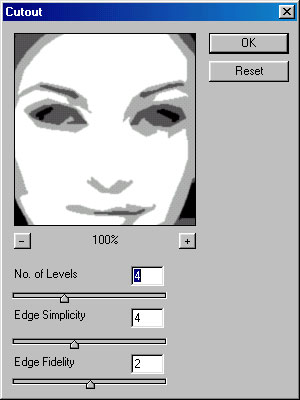
Now, go to Filter > Artistic > Cutout and apply these settings :
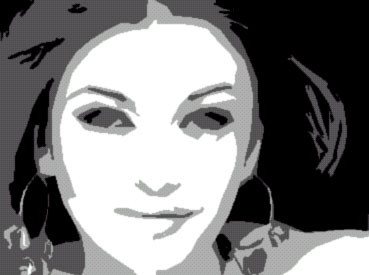
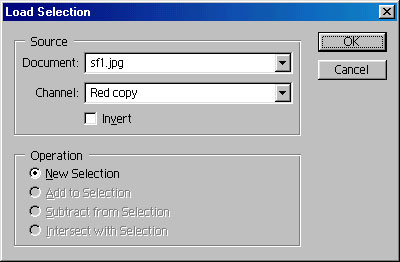
Now, return to the layer palette. Go to Select > Modify > Load selection and in the channel, select Red copy as new selection :
Press control+j to duplicate the layer. Press shift+control+u to desaturate this layer.
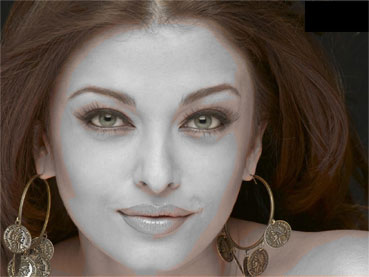
Change the blending mode of this layer to overlay :

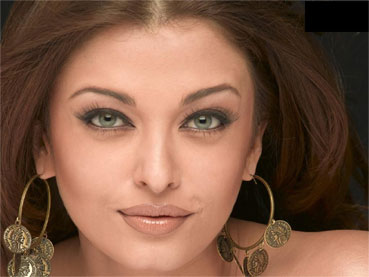
Finally, use smudge tool with 45 pixel brush, selecting Normal as mode and 30% strength and drag the brush over the face to soften the skin. Our new image is ready :)