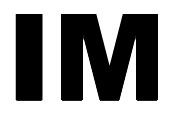
Start by typing any word of your choice. It will be the base of our steel text. I have used Arial Black font having 120 point size.
Now, create a gradient as shown in the figure for the steel text :

Control+click on the text layer's name in layer palette to select it. Rasterize the layer and fill the selection of steel text with it :

Press control+d to deselect. Go to Filter > Render > Lighting Effect and apply these settings for the steel text :
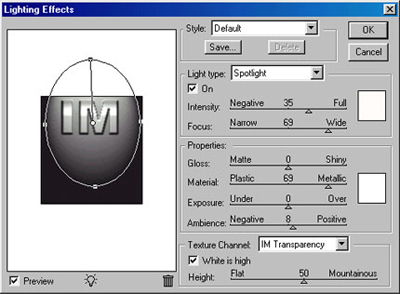
As you can, our steel text is getting the look of steel :

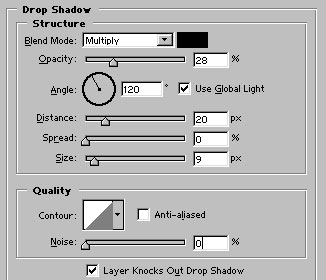
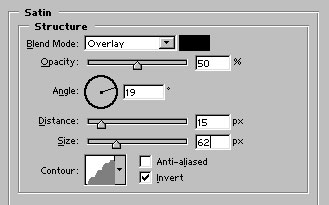
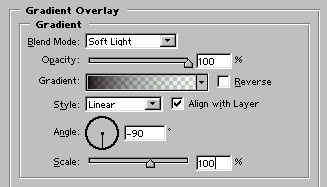
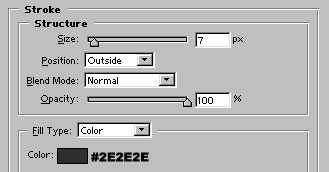
Now, apply these layer styles in the steel text :
Our steel text is ready :)