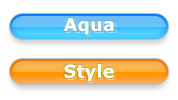
In this tutorial, I'll go over making aqua style buttons.
First, of course, create a new image. size doesn't matter.
Now, grab the Rounded Rectangle Tool
 and set the Radius to 15px

Now draw a rectangle with a height of 25px (the width doesn't matter; the height doesn't matter too much either)
Next we need to rasterize our shape. apple-click (right click) on the new shape in the layers pallet, and select Rasterize
Now for some styles. Double click your shape layer in the layers pallet to bring up the Layer Style window. Now for our styles.
Drop Shadow
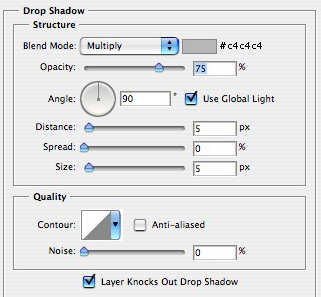
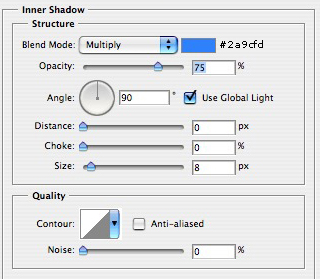
Inner Shadow
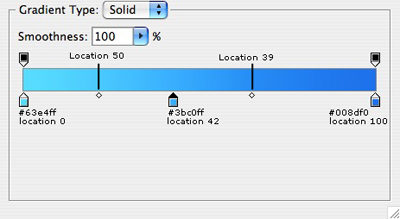
Gradient Overlay
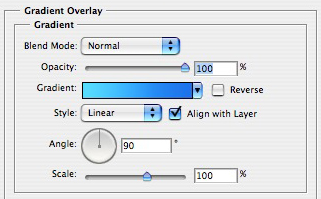
Still on the Gradient Overlay, click the gradient (under the opacity) to bring up the Gradient Editor enter use the following settings:
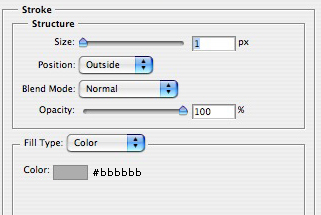
Strock
your image should now look like this:
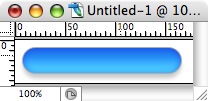
Now, create a new layer above your shape.
Still on your newly create layer Command-Click (Ctrl-Click) the thumbnail on the shape layer in the layers pallet to load its selection.
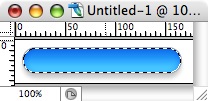
Next, contract the selection by 2 (Select > Modify > Contract)
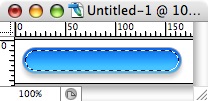
Next, feather the selection by 2 (Select > Feather)
Still on the new layer, grab the Marquee Tool
 Hold Option (Alt) and drag the selection halfway up the rectangle, this will delete the bottom part of the selection.
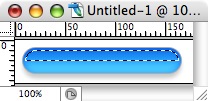
Now, with a foreground of White (pressing D then X on your keyboard will reset your color pallet to this), and still on the new layer, grab the Gradient Tool. While holding down Shift drag a line from about 5 pixels above your rectangle, to the bottom of your rectangle.
Now change the Opacity of your new layer to 55%
Still on your new layer, Command-Click (Ctrl-Click) the thumbnail of this layer in the layers pallet to load its selection.
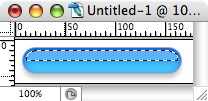
Again with the Gradient Tool, holding down shift, drag a line from the top, to the bottom of this selection.
That's it, you're done..