


1. Start a new Document i chose 500x300
2. Fill It with Black
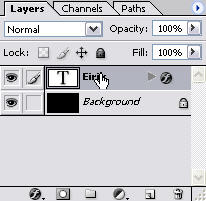
3. Grab the "Type Tool" and make a text. i made it big (150 pt)
4. Right click on the text layer >Blending Options
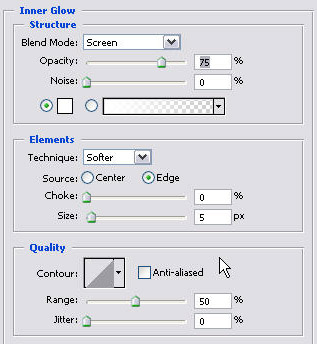
5. Inner Glow
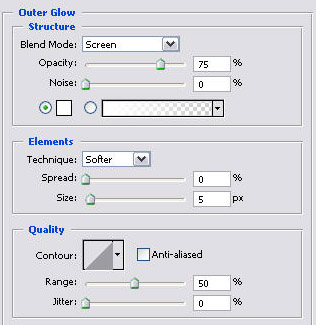
6. Outer Glow (optional)
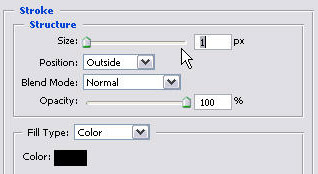
7. Stroke
And This is what i Got!

You should change the outer glow to this.

or put on some colors! (optional)

Enjoy!
