


1. Make a new canvas of 15x15
2. Zoom in and get your pen tool, take a size of 13 px en pic any color (doesn't matter) and set a dot in the middle
3. Now right click the layer to get to the blending options
Do an inner shadow:
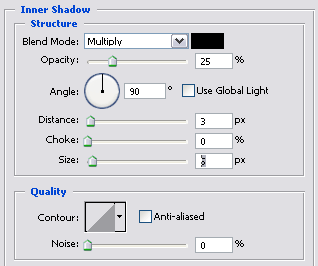
Bevel and emboss:
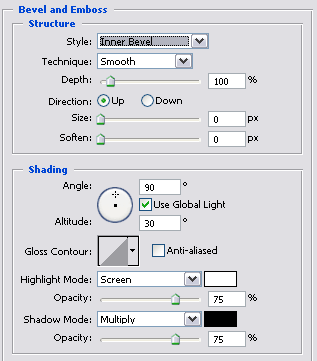
Gradient overlay:
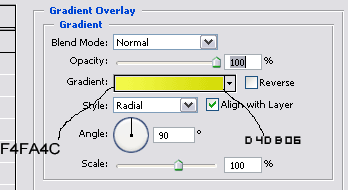
Stroke:
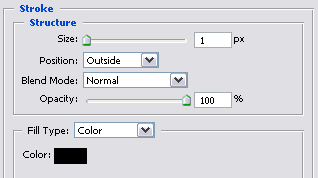
Now we have the basic of the smiley and it's even 3D
4. Create a new layer and call it face
5. Zoom in to 1600% again and make a face
This is what I made
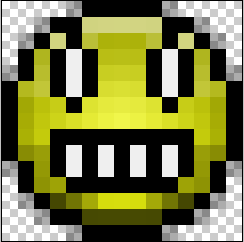
This is what it looked zoomed at 100%

