1. Make a new document, I used 300x300.
2. Go to Filter>Render>Difference Clouds and apply this 2 times.
3. Now select your paint brush tool with a nice 9px round brush make lines like below:
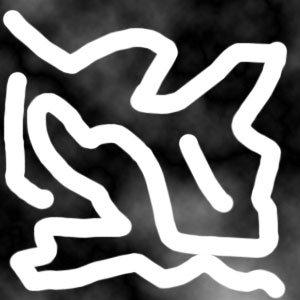
4. Apply Filter>Distort>Twirl:
Angle - 146
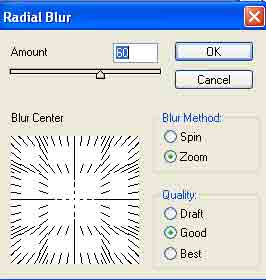
5. Apply Filter>Blur>Radial Blur with these settings:
6. Filter>Noise>Despeckle and press Ctrl+F 2 times to smoothen it out more.
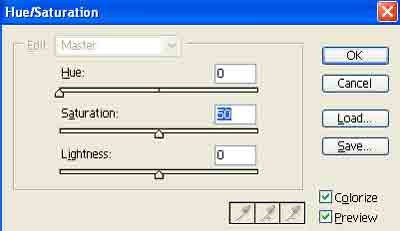
7. Apply this Hue setting, press Ctrl+U:
8. Duplicate the layer. Change the blending from Normal to Color Burn.
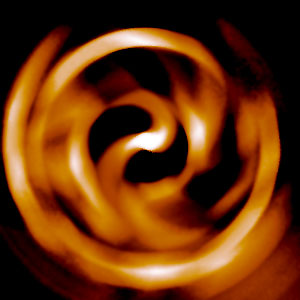
Voila: