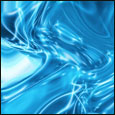
1. Duplicate the layer and set the blending options to screen
2. Click Filter > Distort > Wave - and click randomise a few times to make it look good.
3. Hold CTRL and press E to merge the layer down.
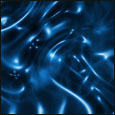
5. Duplicate that layer and set the blending options to screen
6. Click Filter > Distort > Wave - and click randomise a few times to make it look good. (the 2nd time we have done this)
7. Hold CTRL and press E to merge the layer down.
8. Duplicate that layer and set the blending options to screen
9. Click Filter > Distort > Wave - and click randomise a few times to make it look good. (the 3nd time we have done this)
10. Hold CTRL and press E to merge the layer down