I was recently ask to convert a color photo to sepia tone. There are many ways it can be done but here is how I did it. Grab your image that needs to be converted. If it is a black and white photo make sure to convert it to RGB first. Otherwise go to step 2.
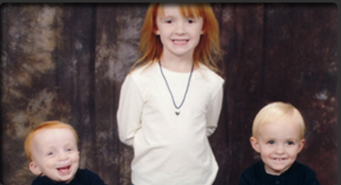
Go to the main menu and click "Image" then "Adjustments" then "Desaturate."

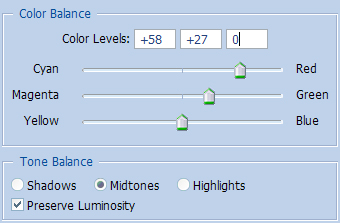
Go to the main menu once again and click "Image" then "Adjustments" then "Color Balance." Use the below settings.
The Results!!!