

Most sliding menu and sliding photos are created base on easing algorithm. If you want to learn basic flash easing, you can click here to launch the simple flash mx easing tutorial.
Without further a do, here is what we are going to create at the end of the day.
:: photo sliding in flash mx ::
All of us are very busy with many things in our daily life, so to make life easier for all of us, I decided to make this partial completed source file. Please download it here before we continue. Don't worry, you will have chance to write your own flash actionscript in this flash tutorial guide :)
Okay, I assume you have downloaded the partial source file for now. Let's start!
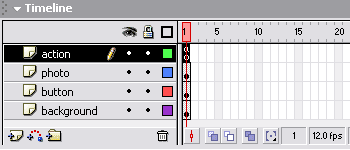
1. Open the flash .fla file you have just downloaded and observe that we have 4 layers.
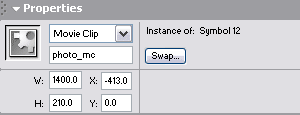
2. Click on the photo movie clip on the main canvas and observe that we have assigned an instance name for it as 'photo_mc'.
3. Click on each button instance on the main canvas and observe that we have assigned each an instance name of 'b1', 'b2','b3','b4' and 'b5'.
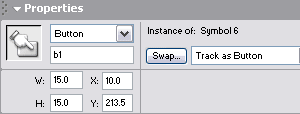
After you have noted down all above mentioned property, it's time to do some actionscripting.
4. Click on first frame on 'action' layer and open up flash actionscript panel by pressing F9.
5. Copy and paste the codes below into the action panel.
|
final_x=0; speed =5; photo_width = 280; //width of each individual photo, you may choose the one that suit photos photo_mc.onEnterFrame = function() { photo_mc._x += (final_x - photo_mc._x)/speed; } b1.onRelease = function() { final_x =0; } b2.onRelease = function() { final_x =-photo_width; } b3.onRelease = function() { final_x =-photo_width*2; } b4.onRelease = function() { final_x =-photo_width*3; } b5.onRelease = function() { final_x =-photo_width*4; } |
Full source code can be downloaded here.
