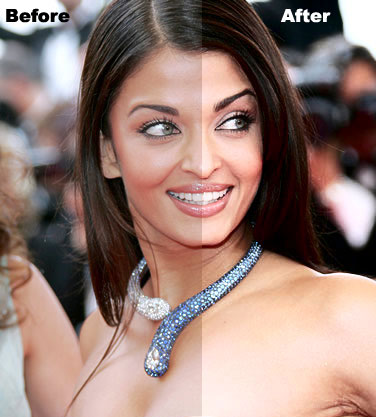
Open your image. Duplicate the layer by pressing control+j:

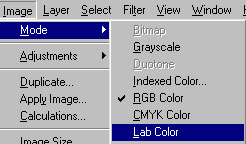
Go to Image>mode and click on Lab Color :
Now, go to Image>Apply Image and apply these settings :
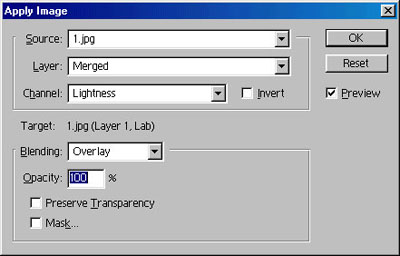
Your image will look like this :

Our final step is to change the blending mode to Luminosity:
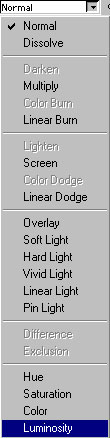
You now have image with more vibrant colors and brightness :

You can compare Before and After image for the results :)