Open your image :

Press control+j to duplicate the layer. Now, desaturate it by pressing shift+control+u keys together.

Change the blending mode of this desaturated layer to Hard Light :

Now, we will use two photoshop filters which can convert almost any image to a water color paint like image. The first filter we will use is Smart Blur. Go to filter>Blur>Smart Blur and adjust the settings as shown. If your image is larger then this one then you should adjust the amounts until you get the desired effect :
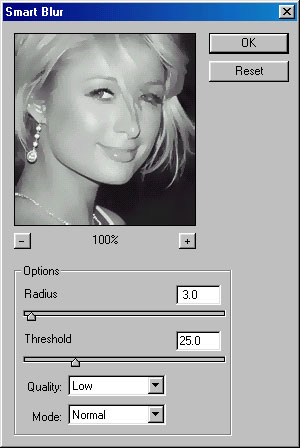
You will get something like this :

The last filter which we will use to convert a picture to water color paint is FACET. Go to filter>pixelate>facet and you are done.