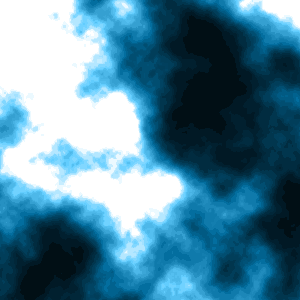
Step 1
Create a document and goto Filter>>Render>>Difference Clouds.

Step 2
Press Ctrl+I to invert the colors.

Step 3
Goto Image>>Adjustments>>Levels.
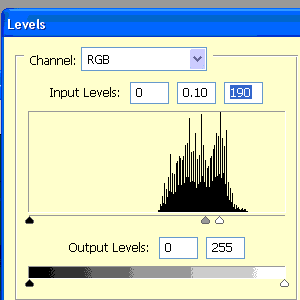
Step 4
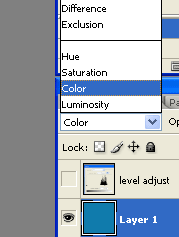
Make a new layer and fill it with a color. Change the blending mode to "Color". Your clouds should now be the color of this layer.
Final Result: