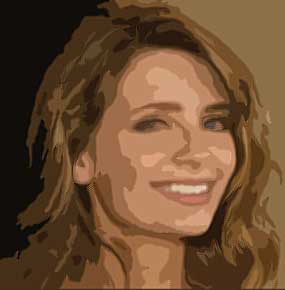
1. Open Photoshop. Open Image to apply poster effect.

2. Filter > Artistic > Cutout
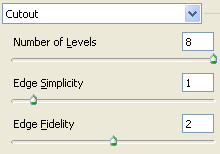
3. You can begin with above readings but try to experiment with different values also.

4. Filter > Stylize > Diffuse (select Anisotropic)

5. Filter > Sharpen > Sharpen More