
Open the following image in photoshop
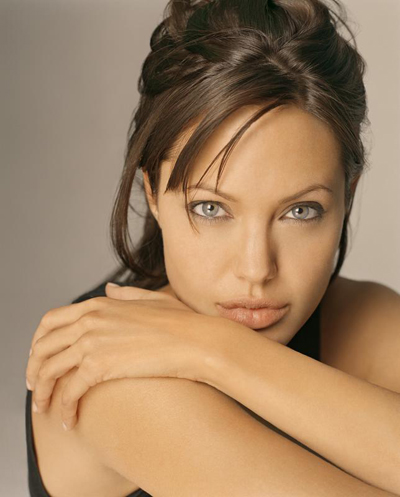
Click to enlarge
Duplicate this photo ( press Ctrl+J to duplicate )
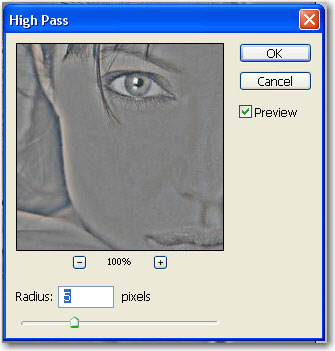
Go to Filter > Other > High Pass and use the following settings:
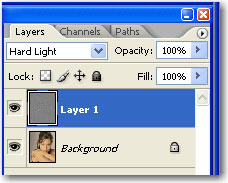
Change the Blending mode to Hard Light
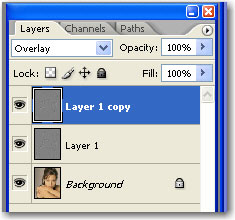
Duplicate this layer ( press Ctrl+J ) and change the blending mode to Overlay
Create a new layer at the top of the layer stack ( press Ctrl+Shift+Alt+N )
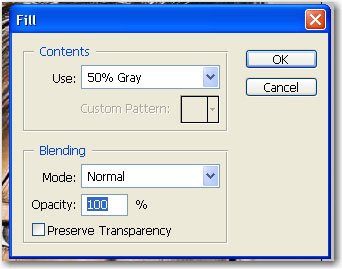
Then go to Edit > Fill and use the following settings:
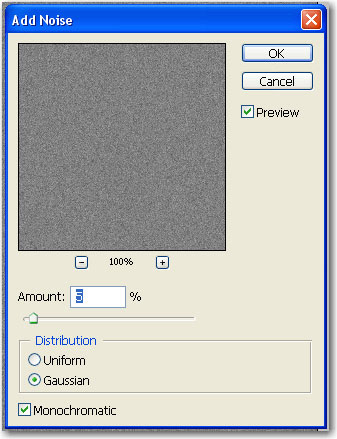
Now go to Filter > Noise > Add Noise and use the following settings:
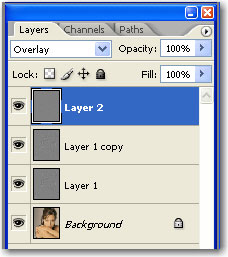
Change the Blending mode for this layer to Overlay
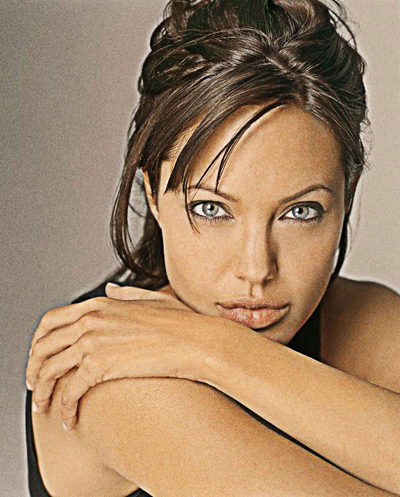
This is my final result
Click to enlarge
I hope you like this tutorial and you will find it useful.
