


Create a new document in photoshop 700 x 400 pixels with a black background. #333333
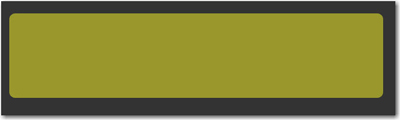
Select Rectangle Tool and draw a rectangle (be sure you will set the Radius to 10 px)
Select Polygon Tool and draw a triangle ( set the number of sides -3 )
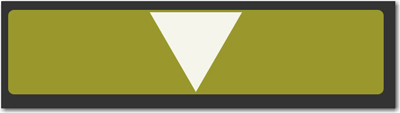
Change the color of this triangle to #99982c then apply the following layer style:
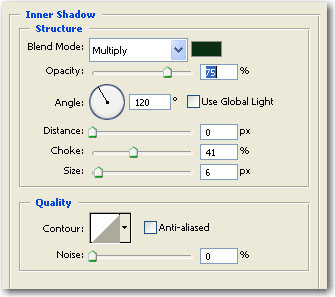
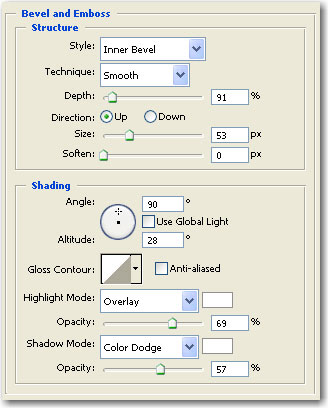
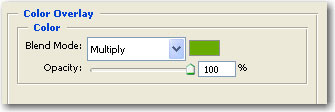
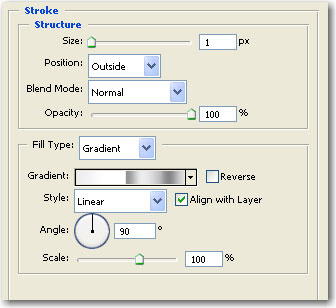
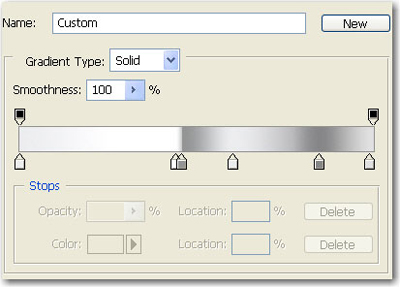
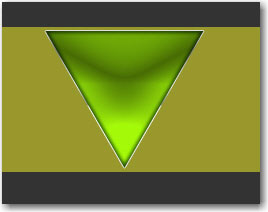
The result:
For the big Rectangle add the following layer style:
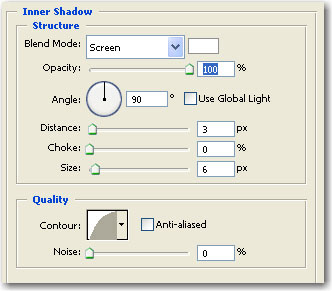
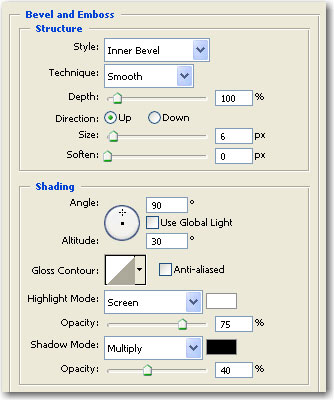
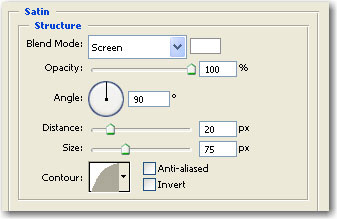
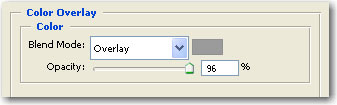
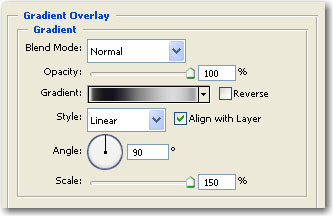
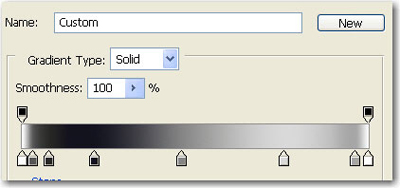
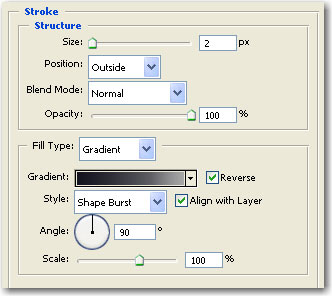
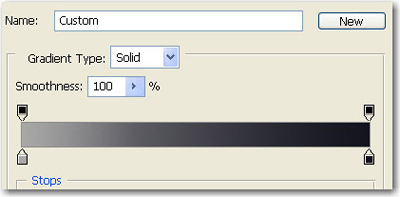
This is the result:

Now make a selection around the big rectangle: Hold down the Ctrl key and press with the left mouse on the layer thumbnail

Now select Polygonal Lasso Tool .
Press on Subtract from selection and make the same like me:

Create a new layer
Go to Select > Modify > Contract ( Chose contract by 10 px ) and press Ok
Fill the selection with white then press Ctrl+D to deselect
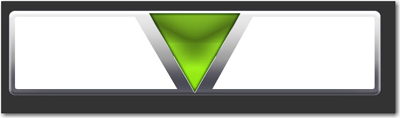
Then add the following layer style for this whit rectangles:
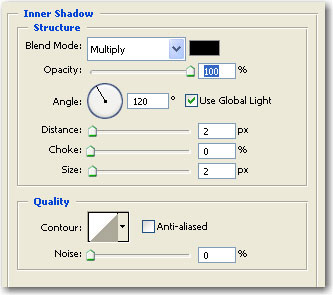
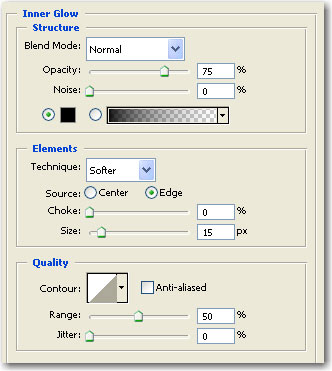
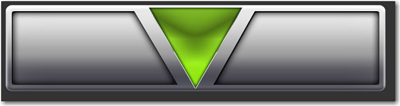
This is the result.
With Rounded rectangle tool create a small vertical rectangle
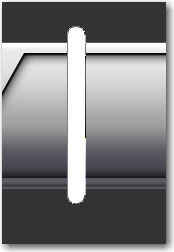
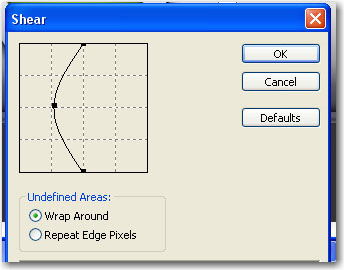
Then Go to Filter > Distort > Shear ( press Ok to rasterize ) and use following settings:
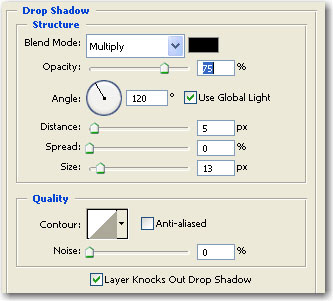
Rotate this rectangle and add the following layer style
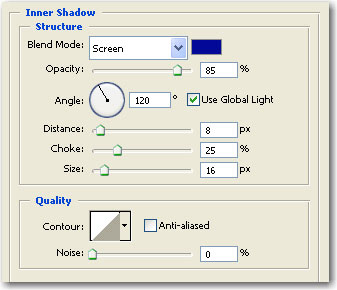
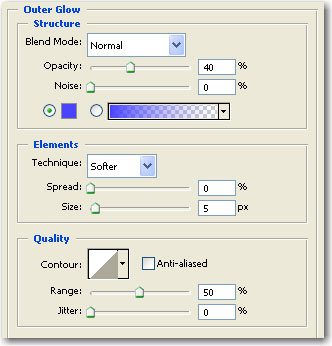
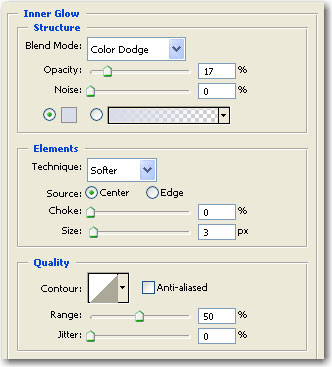
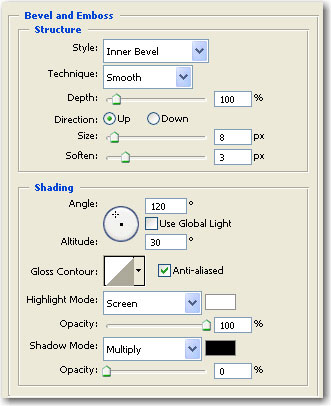
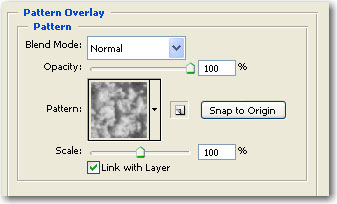
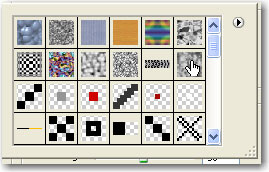
Then create some small circles and place them like in the following image This is my result:
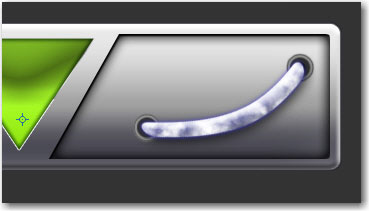
Now you can add some text on the left side:

Create a new layer ( press Ctrl+Shift+Alt+N )
Select the Polygonal Lasso Tool and make the following selection
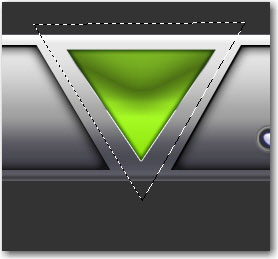
Fill this selection with #333333 ( the same color like your background ) and place the layer under the green triangle
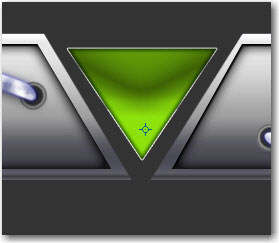
Next step is to duplicate the tube and place it like in the next image

I hope you like the outcome.
