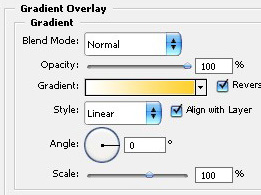
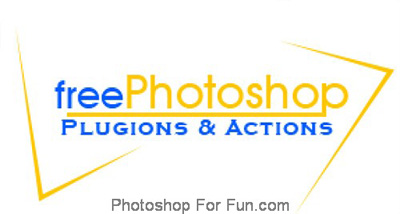
Start by typing "free photoshop" using as nice font.

Now type "Plugin & Action" using a different font.

Create a line as shown using line tool.

Create a shape as shown using pen tool.
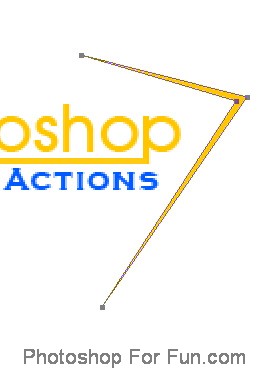
Duplicate the layer. Press Ctrl+T. Rotate and place on the other side.
Create a circle using elliptical shape tool. Place it in the middle of alphabet "O".

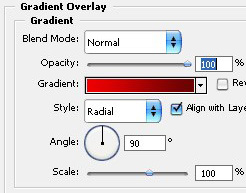
Double click the layer to open layer style window. Apply settings as shown.

Duplicate the layer several times and place as shown.

Create a tentacle shape as shown using pen tool.

Double click the layer to open layer style window. Apply settings as shown.