Make a new image in RGB mode with white background. This is 250 X 65 pixels. Write your text. The Font used here is Showcard Gothic, 60 pt.

Applying Layer Styles
Modify the text to be able to work on it: Layer > Rasterize > Type.
Duplicate It: Layer > Duplicate layer. Name it Globe copy (automatic).
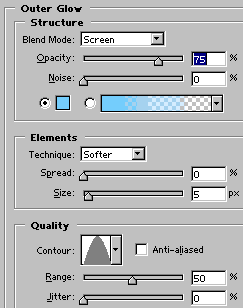
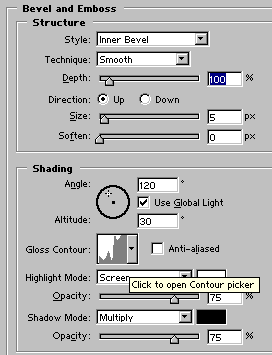
Edit the layer Globe copy: Layer > Layer Style > Blending options
On globe layer apply: Filter > Pixelate > Fragment
The layer Globe must be left below the layer Globe Copy. Ready, this it is the result.