

Start off by creating a new 400px x 400px document. Fill the background with black. Get the custom shape tool and we are going to use "sign 6". Create a sign as in the image below using #676666 as the color.

Apply the next layer style:
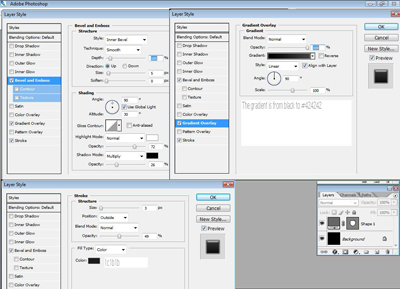
Click to enlarge
You should now have something like this:

Using #887b45 type "N" (make sure it's upper case) using the Wingdings font.

Apply the next settings:
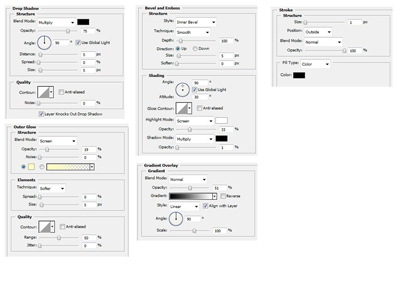
Click to enlarge
The result:

Enjoy our photoshop tutorials and you are welcome to leave some comments to them. Stay turned!
