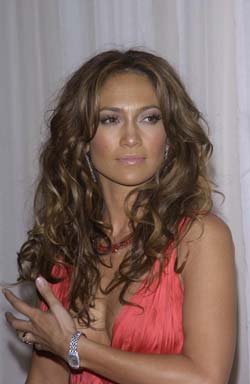
1. Open your picture (Ctrl+O and find picture in your computer). You can use our picture for practice.
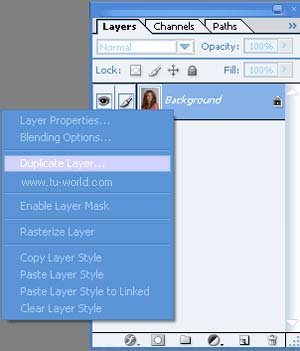
2. Desaturate picture (Shift+Ctrl+U) and than duplicate layer (Shortcut Ctrl+J)
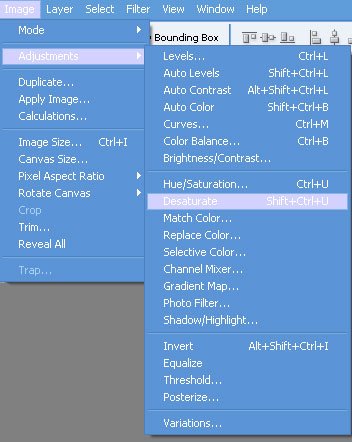
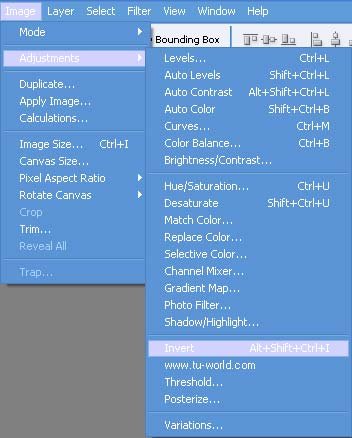
3. Invert duplicated layer (Ctrl+Shift+Alt+I or Image->Adjustment->Invert)
You should have something like this:
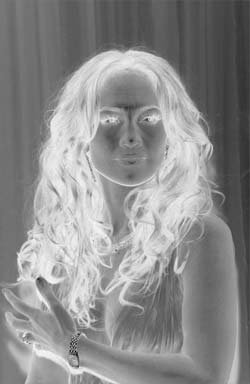
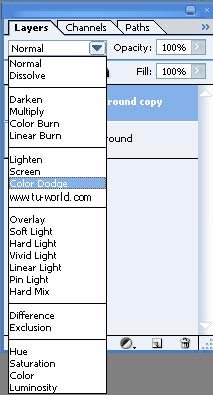
4. On the same layer change blending options to Color Dodge.
I know that your picture is almost white, that's normal, don't worry! :)
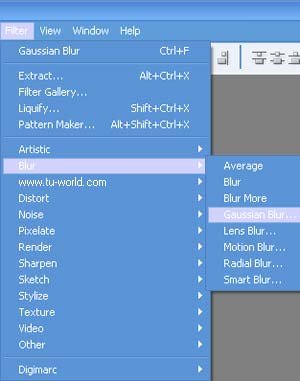
5. At the end apply Gaussian Blur Filter (FIlter->Blur->Gaussian Blur) to your picture. In my case, value of 5 was enough, but you must find your best value of Gaussian Blur for your picture.
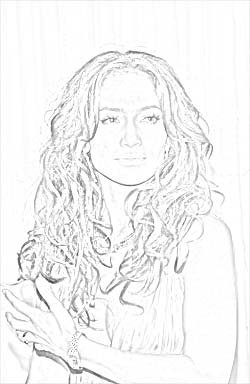
6. That's it. Does your picture look like sketch now?