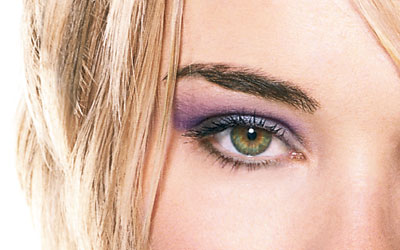
This photoshop tutorial will show you how you can add eyeshadow, eyeliner and mascara to any model easily with Photoshop CS.
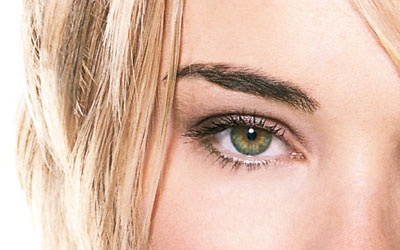
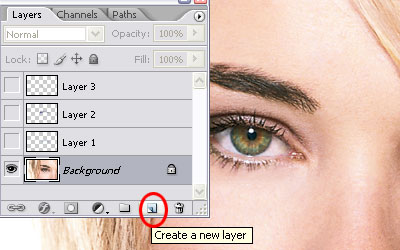
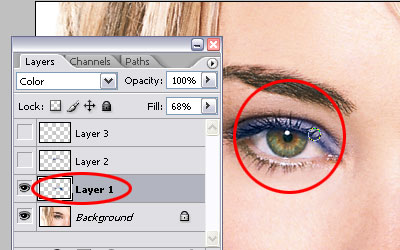
Step 1: Open your photo, go to the layer palette. Create a new layer by clicking the new layer button on your layer palette, then choose color as the blending mode.
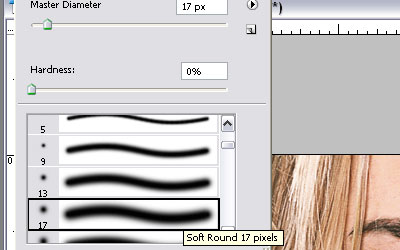
Step 2: Select a brush, in this case i'm using a brush with the size of 17, and double click the swatch to change the color. I put 100 cyan, 50 magenta, and 0 into yellow and black.
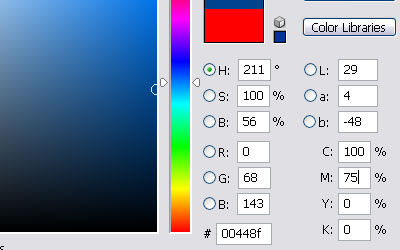
Step 3: Start to paint onto the new layer around the eyelids
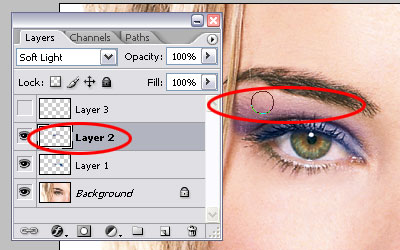
Step 4: Change the color to magenta 90. Create a new layer and change the blending mode to soft light. You can start paint the eye shadow on the new layer. Use the eraser tool with a brush size of 100 and hardness of 0 to remove some of the color to give a soft gradient
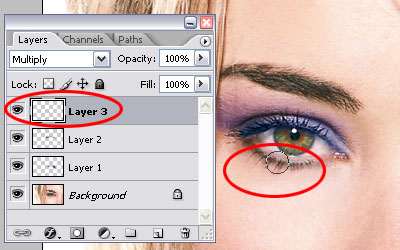
Step 5: Now using eyedropper tool, select point sample from the bottom eyelashes. Create a new layer, change the blending mode to multiply, and make an eyeliner using brush of 17 pixels and remove overspill with an erase brush of 12 pixels.
That's it!